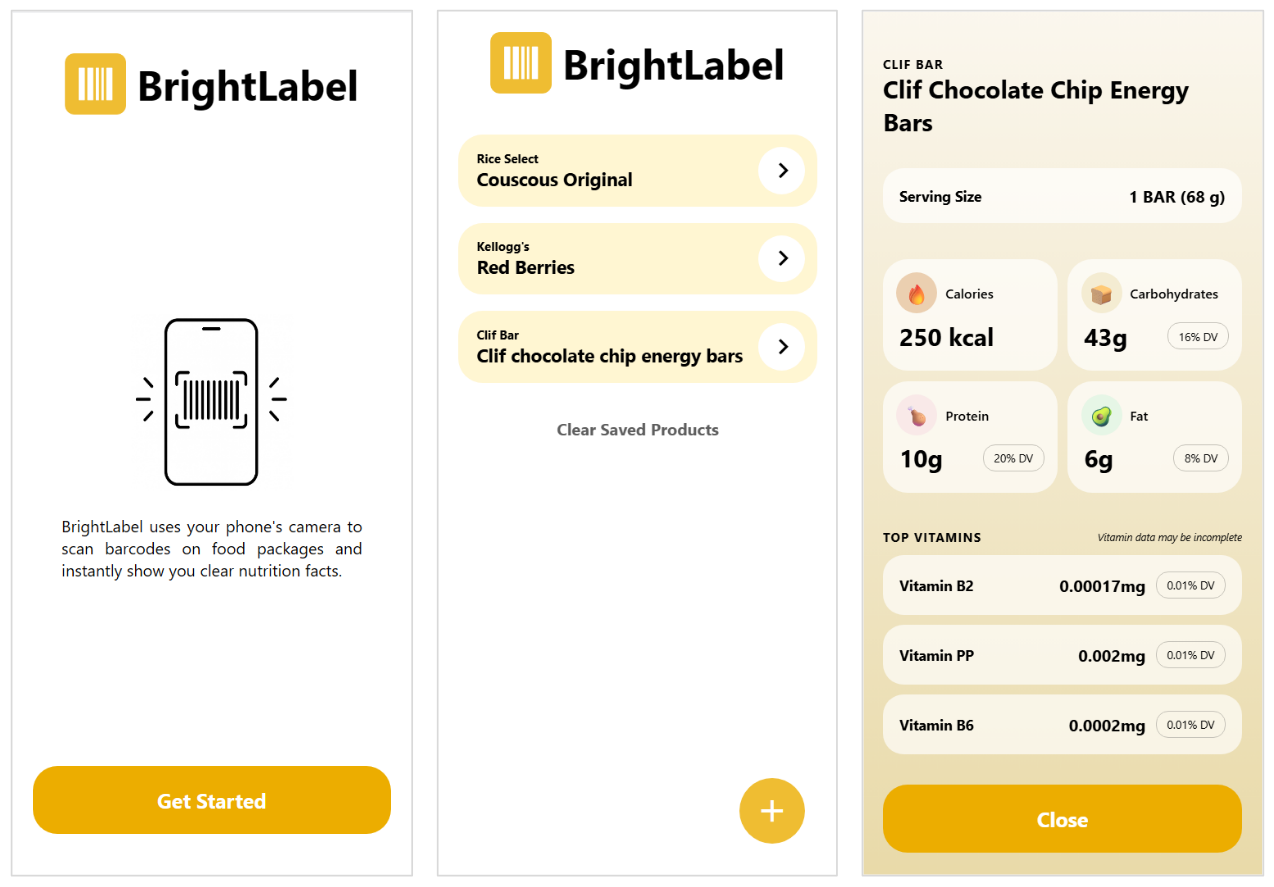
- Allow users to scan barcodes on packaged foods to display detailed nutrition information
- Store scanned products for easy later reference
- Develop a React Native application to translate React web skills to mobile development
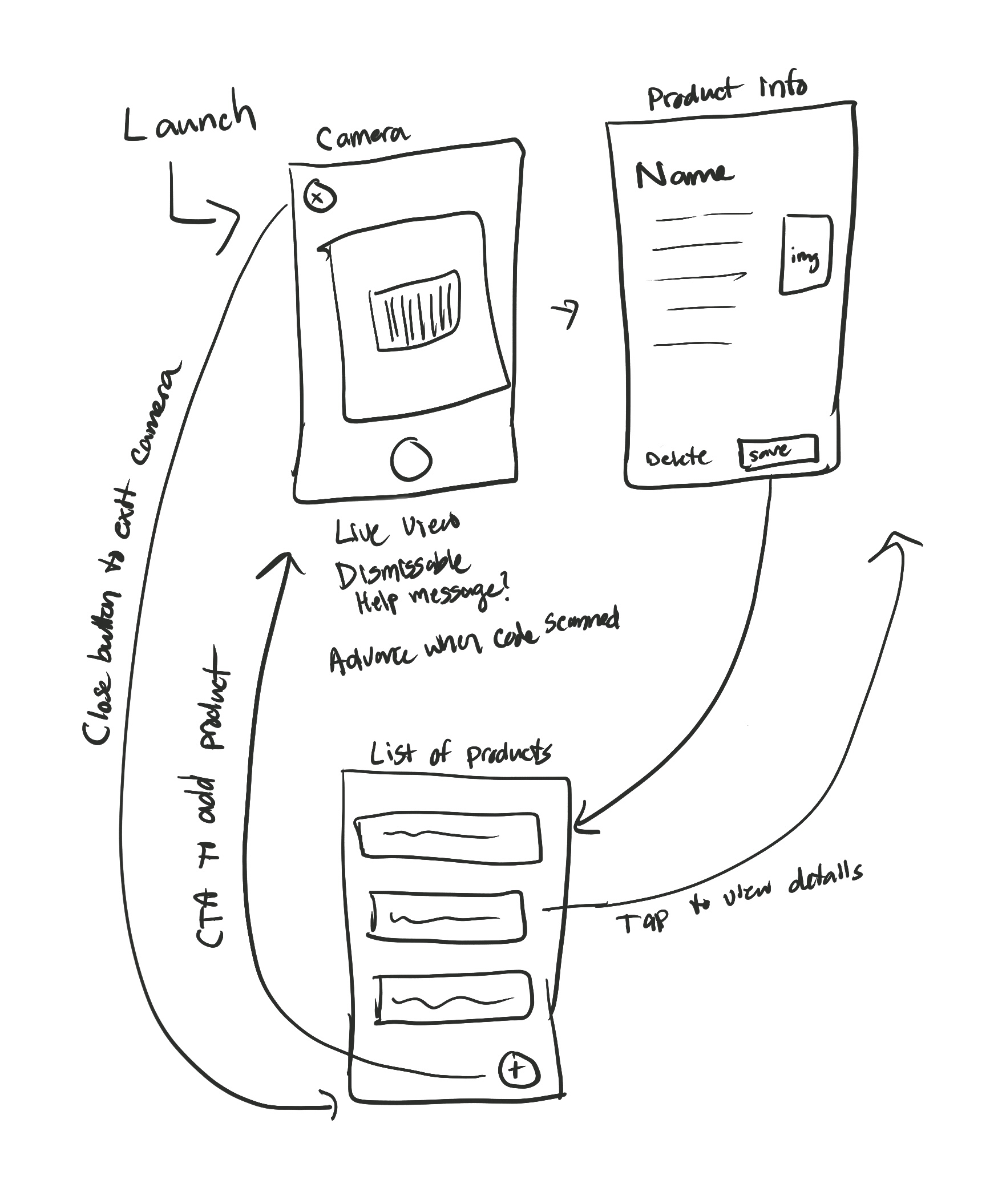
First,I created a user flow diagram to identify what screens would be needed and how users would navigate between them:
- Camera screen, to scan barcodes
- Product Info screen, listing details about a product
- Saved Products screen, displaying a list of all products that had been scanned.
I then scaffolded individual screens with basic styling and functionality and progressively added more features and design elements, solving technical and design challenges as they arose.
Once the major components of the app were built, I focused on adding polish and improving the user experience. I added a loading/"skeleton" screen while product info was being fetched, an empty state screen when there were no saved products, and other progressive enhancements.
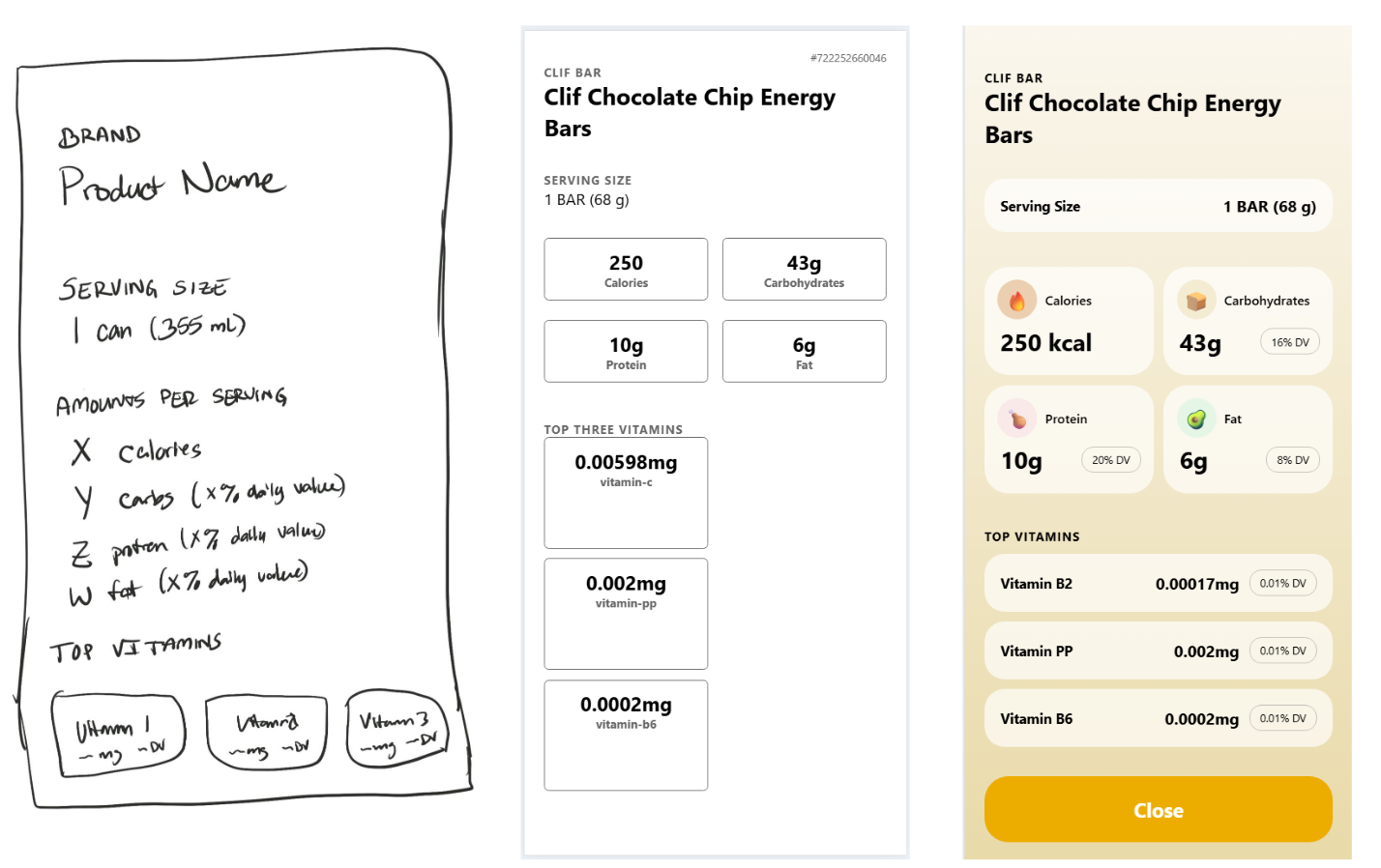
The app is now available to preview in the Expo Go mobile app and is fully functional. I was able to successfully translate my React web skills to mobile development, by designing and developing a functional and user-friendly mobile application.
I have a number of ideas for additional features to add to the app, including:
- Respect dark mode settings with useColorScheme()
- Search and filter options for the Saved Products screen
- Use on-device AI to dynamically assign an emoji/icon to scanned foods (for example, 🥫 when a can of soup is scanned)